
Overview
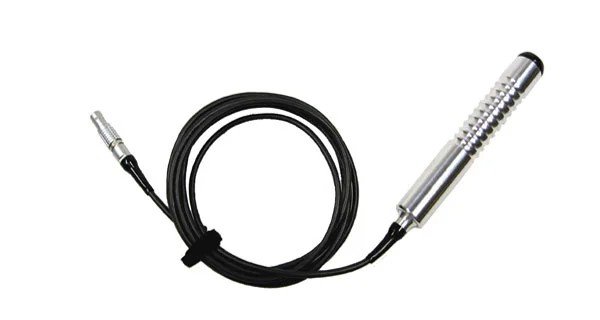
The Handheld Start/Stop Logging Switch (RLVBACS010) can control the logging on VBOX Touch.
This page contains information about how to connect, configure and operate the Logging Switch with VBOX Touch.
Connect Logging Switch to VBOX Touch
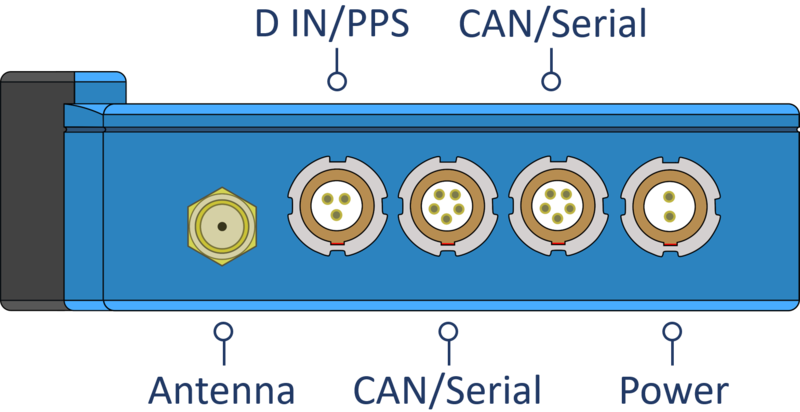
Connect the Lemo connector on the Handheld Start/Stop Logging Switch cable to the D IN/PPS port on VBOX Touch.
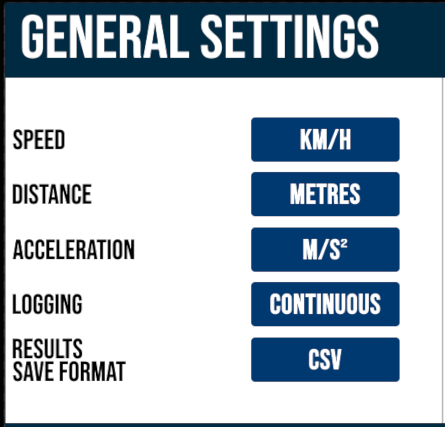
Configure VBOX Touch to use the Logging Switch
- Go to Settings → General.
- Make sure that Logging is set to Continuous.
- Tap the Exit button to save the settings and leave the General Settings screen.
Operational Information
RLVBACS010 is a latching trigger switch.
- Unlatched = Logging
- Latched = Not Logging
IMPORTANT
When the trigger switch is connected and latched, tapping the SD Status Icon will no longer start or stop the data logging.