
COM port unavailable
- The computer may have been started with a different VBOX connected to it. Disconnect the VBOX and restart the computer before reconnecting the VBOX.
- Another software package installed on your computer may have reserved the COM port.
How to Delete/Clear COM Ports in use
If you start to experience trouble with COM Ports then the steps below will allow you to clear out your COM ports.
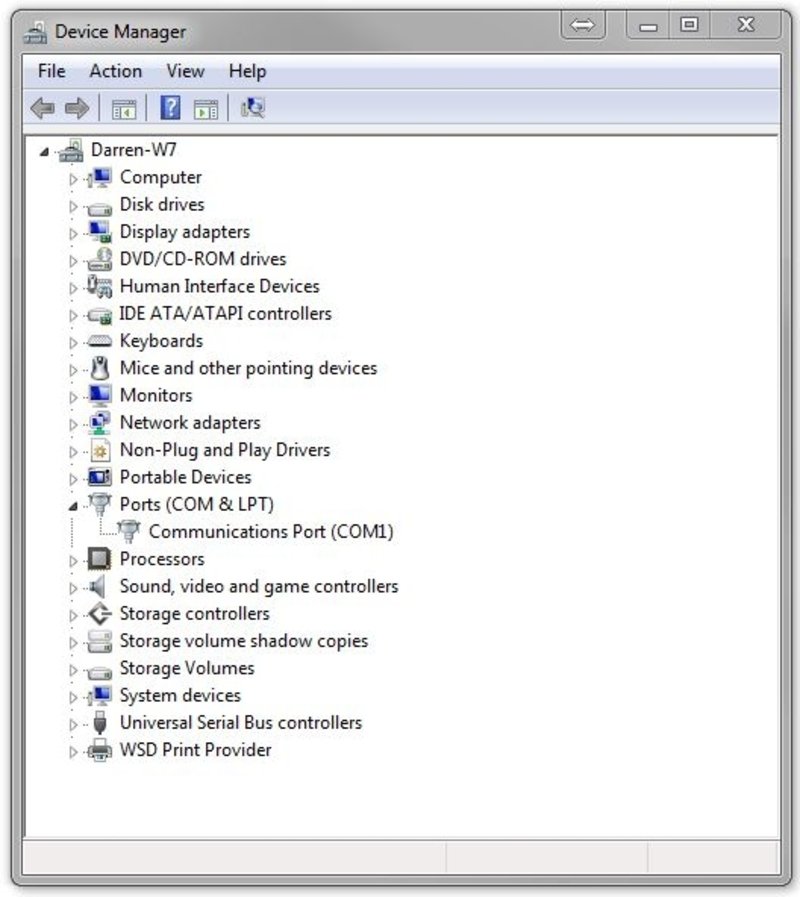
One thing is to see if hidden devices are taking up the ports:
Click Start > All Programs > Accessories and then click Command Prompt.
Type set devmgr_show_nonpresent_devices=1 in the Command Prompt and then press Enter.
(you may need to restart your computer)
Type start devmgmt.msc in the Command Prompt and then press Enter.
Click View > Show hidden devices. This will display devices that are not connected to your computer.
Expand COM ports. Uninstall all from this list. (Right click, Uninstall)