Overview
This page provides connection information for using a DGPS radio with to connect compatible VBOX data loggers to a Base Station via radio link.
Refer to the Base Station Documentation for more information about how to set up your Base Station.
Select the relevant VBOX product below to view the required equipment, hardware connections, and any product-specific requirements.
Hardware Connections
RTM24MBC Radio
Required Equipment
- Radio Unit (RTM24MBC)
- Radio Antenna (RLACS218)
- Cable (RLCAB005)
VBOX 4 Product Range
- VBOX 4 ADAS
- VBOX 4 Dynamics
- VBOX 4
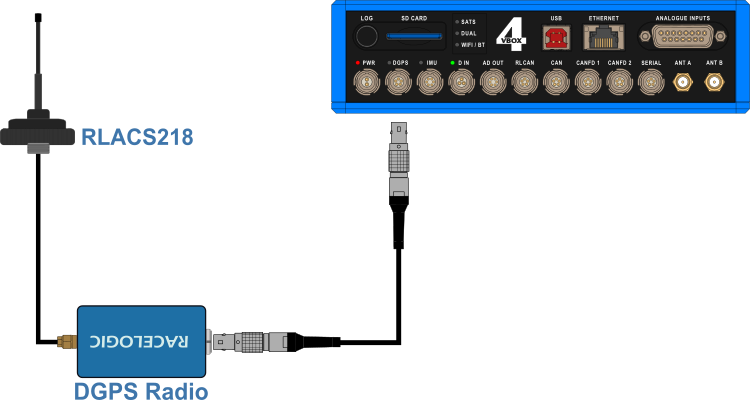
- Connect the Radio Antenna to the DGPS Client Radio.
- Place the Radio Antenna on the vehicle roof.
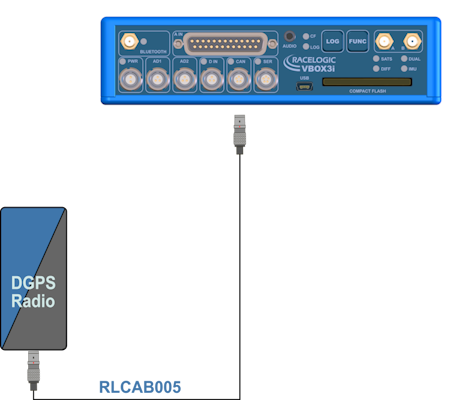
- Connect one end of an RLCAB005 cable to the port on the Radio unit.
- Connect the other end of the cable to the DGPS port on VBOX 4 unit.
IMPORTANT
The Radio antenna must be at least 50 cm away from any other radio antenna.
VBOX 3i ADAS
VBOX 3i Product Range
- VBOX 3i RTK
- VBOX 3i Dual Antenna
- VBOX 3i Single Antenna
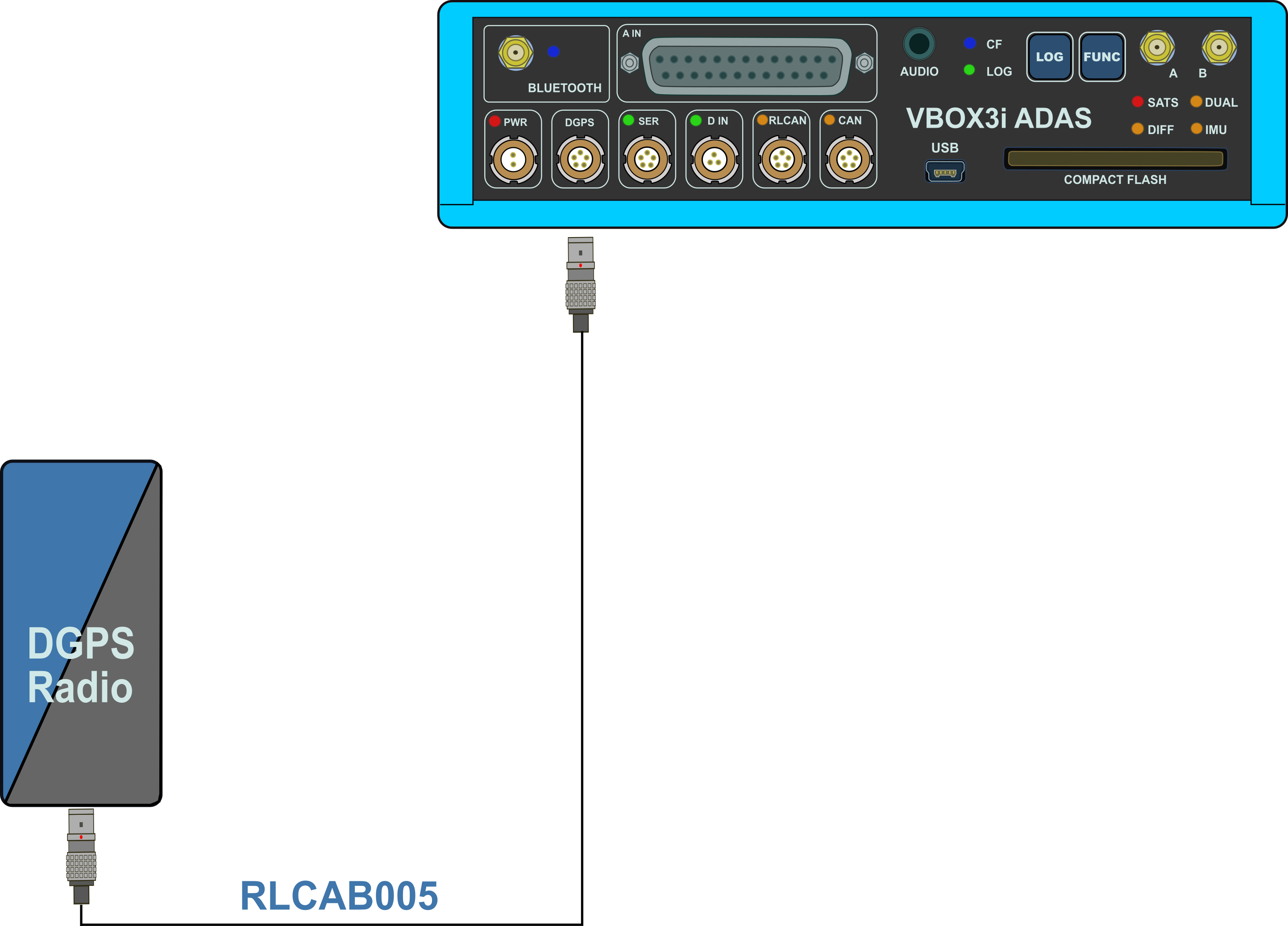
- Connect the Radio Antenna to the DGPS Client Radio.
- Place the Radio Antenna on the vehicle roof.
- Connect one end of an RLCAB005 cable to the port on the Radio unit.
- Connect the other end of the cable to the CAN port on VBOX 3i.
IMPORTANT
The Radio antenna must be at least 50 cm away from any other radio antenna.